Haben Sie noch nichts passendes gefunden? Stöbern Sie durch unser komplettes Sortiment.
Oder melden Sie sich an bzw. registrieren Sie sich.


Beschreibung
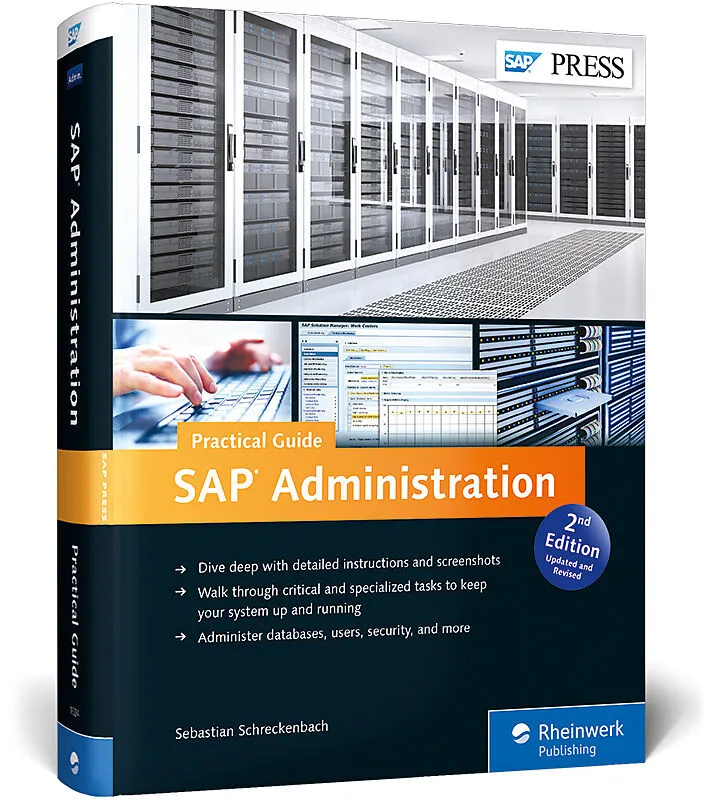
Are you seeking to brush up on your SAP administration skills? Look no further than this practical guide! Updated for SAP NetWeaver 7.4, this resource offers the fundamental concepts of system administration, with step-by-step instructions and hundreds of scre...Are you seeking to brush up on your SAP administration skills? Look no further than this practical guide! Updated for SAP NetWeaver 7.4, this resource offers the fundamental concepts of system administration, with step-by-step instructions and hundreds of screenshots. From system monitoring with SAP Solution Manager to database administration and disaster recovery, learn how to handle everything from the routine to the occasional hiccup.Highlights:Database, security, and user administrationOperating system and network administrationCCMS Alert MonitorScheduled tasksPerformance bottlenecksAuthorizationsSystem maintenanceTroubleshooting and disaster recovery Backup and restoreSAP Solution ManagerSAP NetWeaver 7.4SAP GUI 7.40
Administer databases, users, security, and more
Autorentext
Sebastian Schreckenbach works as a senior consultant for SAP Basis Technologies at Steria Mummert Consulting AG. Prior to this position, he spent many years as an SAP Basis administrator for the city administration of Dresden, the capital of Saxony, Germany.
Klappentext
Attention administrators! Are you pursuing a background in SAP Basis, or just seeking brush up on your skills? If so, look no further than this practical guide! Updated for SAP NetWeaver 7.4, this resource offers the fundamental concepts of system administration, with step-by-step instructions and hundreds of screenshots. From system monitoring with SAP Solution Manager to database administration and disaster recovery, learn how to handle everything from the routine to the occasional hiccup.
Highlights:
Inhalt
... Preface ... 17
1 ... Fundamentals of SAP System Administration ... 23
1.1 ... System Administrator Tasks ... 23
1.2 ... Guiding Principles for System Administrators ... 25
1.3 ... Definitions ... 31
1.4 ... Summary ... 33
2 ... SAP System Administration ... 35
2.1 ... Starting and Stopping the SAP System ... 35
2.2 ... Instances and Operation Modes ... 46
2.3 ... Maintaining Profile Parameters ... 61
2.4 ... Specific Monitoring Transactions ... 68
2.5 ... System Messages ... 85
2.6 ... Connections ... 88
2.7 ... Client Administration ... 111
2.8 ... System Copy ... 132
2.9 ... Summary ... 135
3 ... System Monitoring ... 137
3.1 ... CCMS Alert Monitor ... 137
3.2 ... System Monitoring with the Standard CCMS Alert Monitor ... 139
3.3 ... Adapting the CCMS Monitor Sets ... 148
3.4 ... Auto-Reaction Methods ... 165
3.5 ... Summary ... 176
4 ... System Administration Using SAP Solution Manager ... 177
4.1 ... Functional Spectrum of SAP Solution Manager ... 178
4.2 ... Maintaining the System Landscape ... 180
4.3 ... System Administration ... 206
4.4 ... Maintenance Optimizer ... 251
4.5 ... Summary ... 262
5 ... Scheduled Tasks ... 263
5.1 ... Critical Tasks ... 264
5.2 ... Daily Tasks ... 267
5.3 ... Weekly Tasks ... 272
5.4 ... Monthly Tasks ... 274
5.5 ... Quarterly Tasks ... 277
5.6 ... Yearly Tasks ... 279
5.7 ... Summary ... 283
6 ... Backup and Restore ... 285
6.1 ... Backup ... 285
6.2 ... Restore ... 299
6.3 ... Performance ... 301
6.4 ... Summary ... 305
7 ... Disaster Recovery ... 307
7.1 ... Preliminary Considerations ... 307
7.2 ... Planning for an Emergency ... 309
7.3 ... Recovery Team and Role Distribution ... 313
7.4 ... Types of Disaster Recovery ... 314
7.5 ... Emergency Scenarios ... 315
7.6 ... Recovery Script ... 318
7.7 ... Crash Kit ... 321
7.8 ... Testing the Disaster Recovery Procedure ... 324
7.9 ... Minimizing the Risk of Failure ... 326
7.10 ... Continuing Business During a System Recovery ... 327
7.11 ... Summary ... 328
8 ... Database Administration ... 329
8.1 ... Planning Database Administration Tasks ... 330
8.2 ... Checking Database Actions ... 340
8.3 ... Performing a Database Analysis ... 346
8.4 ... Monitoring Database Performance ... 351
8.5 ... Database AdministrationDB2 ... 356
8.6 ... Database AdministrationOracle ... 376
8.7 ... Database AdministrationMicrosoft SQL Server ... 413
8.8 ... Database AdministrationSAP MaxDB ... 437
8.9 ... Database AdministrationSAP HANA ... 448
8.10 ... Summary ... 475
9 ... Operating System Administration ... 477
9.1 ... Checking the Memory Usage of the File System ... 477
9.2 ... Retrieving Operating System Information ... 486
9.3 ... Summary ... 491
10 ... Security Administration ... 493
10.1 ... What Is Security? ... 493
10.2 ... Security Levels ... 495
10.3 ... Safeguarding the SAP System ... 499
10.4 ... Audits ... 514
10.5 ... Auditing Tools ... 517
10.6 ... Summary ... 535
11 ... Performance ... 537
11.1 ... Short-Term Remedy of Performance Problems ... 537
11.2 ... Detailed Analysis of Performance Problems ... 542
11.3 ... Analysis at Other Levels ... 551
11.4 ... Summary ... 552
12 ... SAP GUI ... 553
12.1 ... Installation Requirements ... 553
12.2 ... Installation Scenarios ... 554
12.3 ... Adding Systems to SAP Logon ... 574
12.4 ... Summary ... 578
13 ... User Administration ... 579
13.1 ... General ... 579
13.2 ... Setting Up New Users ... 582
13.3 ... Maintaining Users ... 591
13.4 ... Mass Changes ... 592
13.5 ... Resetting the Password ... 594
13.6 ... Locking or Unlocking a User ... 596
13.7 ... Central User Administration ... 597
13.8 ... User Groups ... 632
13.9 ... Deleting User Sessions ... 635
13.10 ... System Administration ... 638
13.11 ... Summary ... 641
14 ... Authorization Management ... 643
14.1 ... Authorization Check Process ... 643
14.2 ... Authorization Roles ... 644
14.3 ... Authorization Profiles ... 662
14.4 ... Utilities for Authorization Management ... 667
14.5 ... Summary ... 679
15 ... Background Processing ... 681
15.1 ... Creating Background Jobs ... 681
15.2 ... Monitoring Background Jobs ... 691
15.3 ... Graphical Job Scheduling Monitor ... 694
15.4 ... Performance Factors for Background Jobs ... 695
15.5 ... Summary ... 697
16 ... Output Management ... 699
16.1 ... Setting Up the Spool Servers ... 699
16.2 ... Setting Up Printers ... 703
16.3 ... Outputting Data ... 714
16.4 ... Output Control ... 716
16.5 ... Deleting Old Spool Requests ... 724
16.6 ... Checking the Spool Consistency ... 724
16.7 ... Checking the TemSe Consistency ... 726
16.8 ... Summary ... 728
17 ... Change and Transport Management ... 729
17.1 ... General Notes on Change Management ... 730
17.2 ... Transporting Objects ... 732
17…