Beschreibung
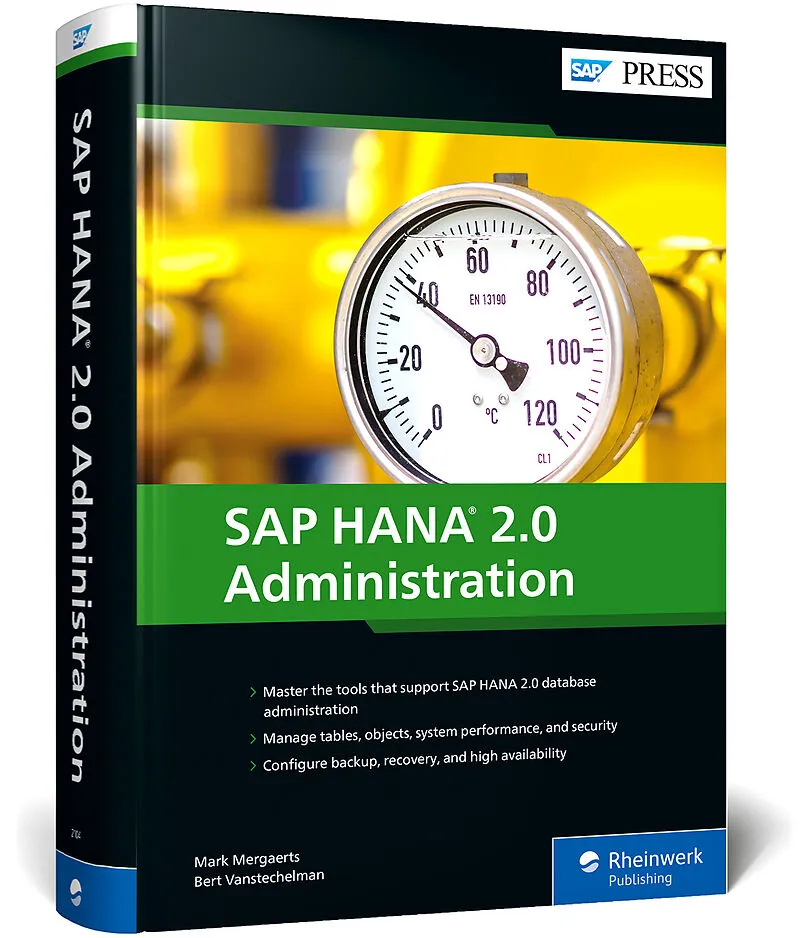
Novice or expert, this is your one-stop shop for administering SAP HANA 2.0! You'll begin with a deep dive into database and engine architecture. Then explore your key tools: SAP HANA cockpit, SAP HANA Studio, the command-line interface, and more. From t...Novice or expert, this is your one-stop shop for administering SAP HANA 2.0! You'll begin with a deep dive into database and engine architecture. Then explore your key tools: SAP HANA cockpit, SAP HANA Studio, the command-line interface, and more. From there, choose the topics you need. Backup and recovery? High availability? Data tiering? Security? Objects, tables, and transactions? All covered within these pages! From installation to performance tuning, this book has it all.
Highlights include:
1) Installation and updates
2) Architecture
3) SAP HANA cockpit
4) SAP HANA Studio
5) Persistency
6) High availability/disaster recovery
7) Scale-out systems
8) Data tiering
9) Objects and tables
10) Security
11) Performance
12) Monitoring
Configure backup, recovery, and high availability
Autorentext
Bert Vanstechelman is founder of and principal technical consultant at Logos Consulting, and has more than 20 years of experience in SAP Basis consulting, running all kinds of SAP versions in combination with all possible databases and operating systems supported by SAP. He specializes in platform migrations, SAP release upgrades, and Unicode conversions. Bert is a member of the board of advisors of the SAP Professional Journal. He is also the co-author with Mark Mergaerts of the following SAP PRESS books: the SAP OS/DB Migration Project Guide, the mySAP ERP Upgrade Project Guide, and the SAP NetWeaver Application Server Upgrade Guide. Bert lives near Bruges, Belgium, and is married with three children.
Inhalt
... Preface ... 23
... So You Want to Be an SAP HANA Database Administrator? ... 24
... The SAP HANA Landscape Used for This Book ... 26
... Management Tools ... 27
... Who Is This Book For? ... 28
... How Is This Book Organized? ... 28
... Acknowledgements ... 31
1 ... SAP HANA Overview ... 33
1.1 ... The Column Store ... 33
1.2 ... Hardware Requirements ... 36
1.3 ... Editions ... 37
1.4 ... Use Cases ... 40
1.5 ... Data Provisioning ... 46
1.6 ... Advanced Analytics ... 50
1.7 ... Data Integration ... 54
1.8 ... Summary ... 55
2 ... Architecture of the SAP HANA System ... 57
2.1 ... The Basics ... 57
2.2 ... Services and Processes ... 63
2.3 ... SAP HANA XSA Runtime Platform ... 67
2.4 ... Data Persistency ... 70
2.5 ... Multihost or Distributed SAP HANA Systems ... 71
2.6 ... High Availability ... 76
2.7 ... Backup and Recovery ... 78
2.8 ... Summary ... 80
3 ... Administration Tools ... 81
3.1 ... SAP HANA Cockpit ... 81
3.2 ... SAP HANA Studio ... 103
3.3 ... Command-Line Tools ... 113
3.4 ... DBA Cockpit for SAP HANA ... 124
3.5 ... Additional Tools ... 127
3.6 ... Summary ... 128
4 ... Instance Administration ... 131
4.1 ... Structure of an SAP HANA Instance ... 132
4.2 ... Starting and Stopping the Instance ... 145
4.3 ... Maintaining Parameters ... 152
4.4 ... Managing Memory ... 165
4.5 ... Sessions and Transactions ... 176
4.6 ... Load Management and Distribution ... 184
4.7 ... Special Utilities ... 202
4.8 ... Managing Redo Logs ... 205
4.9 ... Summary ... 216
5 ... Database Administration ... 217
5.1 ... Managing Tenant Databases ... 218
5.2 ... Managing Data and Log Volumes ... 231
5.3 ... Database Corruptions ... 248
5.4 ... Backup and Recovery ... 256
5.5 ... Landscape Management ... 316
5.6 ... Network Configuration ... 334
5.7 ... Summary ... 339
6 ... System Replication ... 341
6.1 ... Architecture ... 343
6.2 ... Configuring and Monitoring System Replication ... 365
6.3 ... Takeover and Failback ... 381
6.4 ... Disable System Replication ... 386
6.5 ... Multitier System Replication ... 390
6.6 ... SAP HANA, Active/Active Read-Enabled Option ... 406
6.7 ... Secondary Time Travel ... 410
6.8 ... Zero-Downtime Maintenance with SAP Solutions ... 414
6.9 ... Hardware Exchange via System Replication ... 417
6.10 ... Summary ... 418
7 ... Scale-Out Systems and High Availability ... 419
7.1 ... Architecture ... 419
7.2 ... Network Layout ... 428
7.3 ... Host Autofailover ... 433
7.4 ... Administration and Monitoring ... 436
7.5 ... Configuration and Setup ... 445
7.6 ... Takeover and Failback ... 457
7.7 ... Summary ... 464
8 ... Data Tiering ... 465
8.1 ... Data Tiering Options ... 466
8.2 ... Persistent Memory ... 470
8.3 ... Native Storage Extensions ... 476
8.4 ... SAP HANA Extension Node ... 480
8.5 ... SAP HANA Dynamic Tiering ... 484
8.6 ... Integration with SAP IQ ... 489
8.7 ... Integration with Hadoop ... 491
8.8 ... Summary ... 493
9 ... Planning and Setting Up the SAP HANA Landscape ... 495
9.1 ... Architecture ... 495
9.2 ... Cloud Deployments ... 496
9.3 ... On-Premise Deployments ... 498
9.4 ... Capacity Planning ... 519
9.5 ... Infrastructure Design ... 536
9.6 ... Network Layout ... 540
9.7 ... High-Availability Clusters ... 547
9.8 ... Virtualization ... 550
9.9 ... Operating System Platforms ... 557
9.10 ... Reference Architecture ... 557
9.11 ... Summary ... 561
10 ... Installation and Updates ... 563
10.1 ... Release Cycle of SAP HANA ... 563
10.2 ... Preparing for Installation and Upgrades ... 565
10.3 ... Using Lifecycle Management Tools ... 588
10.4 ... Downloading the Software ... 598
10.5 ... Installing an SAP HANA System ... 600
10.6 ... Updating an SAP HANA System ... 620
10.7 ... Uninstalling SAP HANA ... 639
10.8 ... Installing and Updating the SAP HANA Client ... 640
10.9 ... Installing and Updating the SAP HANA Cockpit ... 644
10.10 ... Installing and Updating SAP HANA Studio ... 648
10.11 ... Summary ... 651
11 ... Database Objects ... 653
11.1 ... Object Attributes ... 654
11.2 ... Tables ... 659
11.3 ... Indexes ... 667
11.4 ... Triggers ... 668
11.5 ... Constraints ... 669
11.6 ... Views ... 670
11.7 ... Sequences ... 676
11.8 ... Stored Procedures ... 680
11.9 ... Functions ... 682
11.10 ... Synonyms ... 686
11.11 ... Summary ... 687
12 ... Working with Tables ... 689
12.1 ... The Storage Models: Row and Column Stores ... 691
12.2 ... Compression ... 695
12.3 ... Delta Store and Delta Merge ... 703
12.4 ... Partitioning ... 711
12.5 ... Table Classification and Distribution ... 734
12.6 ... Memory and Persistence Layer ... 745
12.7 ... Special Table Types ... 749
12.8 ... Indexes ... 768
12.9 ... Multiversion Concurrency Control ... 778
12.10 ... Export and Import ... 781
12.11 ... Consistency Checks ... 794
12.12 ... Metadata ... 797
12.13 ... Summary ... 805
13 ... Security ... 807
13.1 ... Security Patches ... 809
13.2 ... User Management ... 810
13.3 ... Database Privileges ... 826
13.4 ... Database Roles ... 842
13.5 ... Troubleshooting Authorization Issues ... 848
13.6 ... Authentication Methods ... 854
13.7 ... Auditing the Database ... 863
13.8 ... Encryption ... 877
13.9 ... Increase the System Isolation Level ... 902
13.10 ... Cross-Database Authorizations ... 906
13.11 ... Summar…