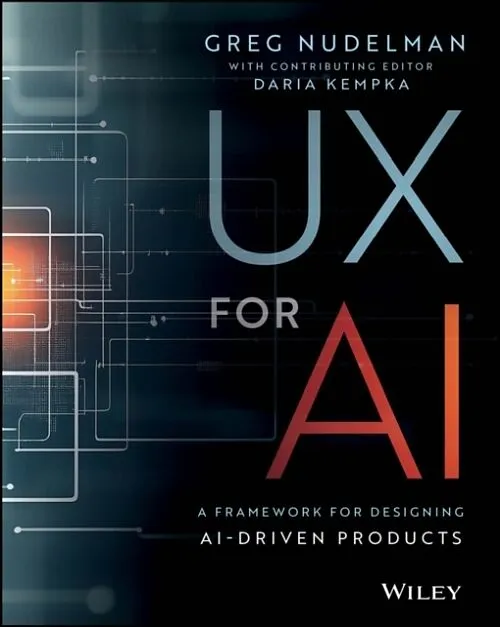
UX for AI
Beschreibung
Autorentext GREG NUDELMAN is a UX Designer, strategist, speaker, and author with more than 20 years' experience helping Fortune 100 clients - including Cisco, IBM, and Intuit - create loyal customers and generate hundreds of millions of dollars in additional v...Format auswählen
- Kartonierter Einband (Kt)CHF 58.40

Wird oft zusammen gekauft
Andere Kunden kauften auch
Beschreibung
Autorentext
GREG NUDELMAN is a UX Designer, strategist, speaker, and author with more than 20 years' experience helping Fortune 100 clients - including Cisco, IBM, and Intuit - create loyal customers and generate hundreds of millions of dollars in additional valuation. He has worked on 35 AI projects and is currently a Distinguished Designer at Sumo Logic.
Klappentext
An expert playbook for UX professionals researching, designing, and testing AI-powered products In UX for AI: A Framework for Designing AI-Driven Products, Greg Nudelman - a seasoned UX designer and AI strategist - delivers a proven framework for creating exciting, effective, and practical UX designs that integrate with new artificial intelligence technologies. You'll find tools you can put to work immediately as you research, plan, design, and test user experiences that incorporate human-AI interactions. The book offers hands-on design techniques that rely on tested user research methods. It also includes exercises, like Digital Twin and Value Matrix, that build your design skills and confidence, as well as AI patterns and best practices that have proven effective in real-world deployments of LLMs (Large Language Models), AI agents, copilots, AI search tools, and more. UX for AI is an original and up-to-date design guide that belongs on the desk of every UX designer and product professional working with AI-enabled or AI-driven products. It's also a must-read for students of UX design, new and trainee UX professionals, and anyone else involved in the creation of software that incorporates artificial intelligence.
Inhalt
Introduction xxv
How to Use This Book xxxi
Part 1-Framing the Problem 1
Chapter 1 Case Study: How to Completely F*ck Up Your AI Project 3
A Boiling Pot of Spaghetti 3
Fail #1: Try to Replace a Trained Expert with AI 4
Fail #2: Forget About Cost vs. Benefit 4
Fail #3: No ML Training Data? No Problem! 5
Fail #4: It Makes No Difference What Question Your AI Model Is Answering 6
Fail #5: Don't Worry About User Research-You Have an SME! 6
Final Thoughts 8
Reference 9
Chapter 2 The Importance of Picking the Right Use Case 11
Presuming That AI Will Be Telling Experts How to Do Their Job Is a Red Flag 11
Ask a Better Question 12
Reference 14
Chapter 3 Storyboarding for AI Projects 21
Why Bother with a Storyboard? 22
How to Create a Storyboard 24
Establishing Shot 24
Things 25
People 26
Faces 26
Transitions 27
Storyboard Conclusion 31
Storyboarding for AI 34
Final Thoughts 36
Design Exercise: Create Your Own Storyboard 36
Storyboarding Exercise Example: Death Clock 37
References 38
Chapter 4 Digital Twin-Digital Representation of the Physical Components of Your System 39
Digital Twin of a Wind Turbine Motor 39
The Digital Twin Is an Essential Modeling Exercise for Designing AI-Driven Products 43
How to Build a Digital Twin: An Example 44
Wait, There's More! 46
Design Exercise: Create Your Own Digital Twin 48
Reflect 49
Design Exercise Example: Life Clock Digital Twin 49
Chapter 5 Value Matrix-AI Accuracy Is Bullshit. Here's What UX Must Do About It 51
The Big Secret 51
Confusion Matrix: How Can Accurate AI Be Wrong? 53
Value Matrix: The AI Tool for the Real World 55
Training AI on Real-Life Outcomes to "Think" Like a Human 56
One More Example 58
Final Thoughts: The Importance of Human Cost/Benefit 58
Design Exercise: Create Your Own Value Matrix 59
Design Exercise Example: Life Clock Value Matrix 60
References 61
Part 2-AI Design Patterns 67
Chapter 6 Case Study: What Made Sumo Copilot Successful? 69
Strong Use Case 69
Clear Vision 70
Dedicated Full-Screen UI 71
AI-Driven Autocomplete 71
Next-Steps Suggestions 73
Final Words 74
References 74
Chapter 7 UX Best Practices for SaaS Copilot Design 75
The More Important the Task, the More Real Estate Is Required 75
Side Panel 75
Large Overlay 76
Full Page 77
Contents xix
SaaS Copilot Is Stateful 78
Specialized Fine-Tuned ChatGPT Model 78
Plug-Ins: Integrated Continuous Learning About Your Specific System 79
The IA of the AI Is Straightforward, Focused on Chat 80
Promptbooks: No Need to Twist into Pretzels to Write Prompts 82
Final Thoughts 82
Design Exercise: Create Your Own Mobile Copilot 83
Design Exercise Example: Life Clock Copilot 84
References 87
Chapter 8 Reporting-One of the Most Important Copilot Use Cases 89
Zoom AI Companion 89
Meeting Summary 89
Answer Questions About the Meeting 89
Set It and Forget It 90
UI Modality Switch 90
Microsoft Security Copilot 91
Executive Summary: A General Report 93
Pinboard: A Specialized Report Focused Only on Selected Key Details 93
Info for Report: Ignore Automatically vs. Pick Manually? 94
Security and Privacy 97
Design Exercise: Create Your Own Copilot Report 97
Design Exercise Example: Life Clock Copilot Report 98
Daily Report 98
Weekly Report 99
Chapter 9 LLM Design Patterns 103
Restating 105
Auto-Complete 106
Talk-Back 108
Initial Suggestions 108
Next Steps 111
Regen Tweaks 113
Guardrails 113
Design Exercise: Try Out the LLM Patterns 116
Design Exercise Example: "Life Copilot Plus" 117
Chapter 10 Search UX Revolution: LLM AI in Search UIs 121
The Current State of Search 121
Google Search 121
Amazon Search 122
The "Mysteries That Are Not Scary" Problem 122
Enter LLMs 126
Design Exercise: Design Your Own LLM Search UI 130
Design Exercise Example: Life Copilot LLM Search 130
Chapter 11 AI-Search Part 2: "Eye Meat" and DOI Sort Algorithms 133
What Are Dynamic Dashboards? 133
Beware of Bias in AI Recommendations 137
DOI: Degree of Interest/Sort Algorithms 138
Design Exercise: Create Your Own Dynamic Dashboards and Sort UI 143
References 143
Chapter 12 Modern Information Architecture for AI-First Applications 145
Design Pattern du Jour: The Canvas 145
Is Information Architecture Dead? 146
Amazon.com: Conventional Approach 148
"AI-Minus"? Homepage 148
Conventional Search Results Page 149
AI-Plus Item Detail Page 150
Conventional Maintenance Pages 151
AI-First Amazon.com Redesign 151
AI-First Analysis Overview Page 151
AI-First Category Analysis Pages 152
AI-First LLM Search 155
AI-First Item Detail 156
AI-First Maintenance Pages 159
Long Live Information Architecture! 159
Chapter 13 Forecasting with Line Graphs 165
Linear Regression 166
R-Squared 167
R vs. R-Squared 169
Forecasting with AI 169
Nonlinear Regression 170
Seasonality 172
Contents xxi
Forecasting an Aggregate Variable 173
Final Words 175
Design Exercise: Design Your Own Forecasting UI 175
Design Exercise Example: Life Clock Forecasting 176
References 177
Chapter 14 Designing for Anomaly Detection 179
Why Is Detecting Anomalies Important? 179
Four Main Anomaly Types 180
Point Anomaly 181
Change Point Anomaly 185
Contextual Anomaly 188
Curve Shape Anomalies 192
Design Exercise Example: Life Clock Anomaly Detection UI 195
References 196
Getting Ready for AI-pocalypse: Shorthand UX Design Notation as AI Prompt 197
Shorthand UX Design Notation 197
Shorthand Notation as AI Prompt to Go Directly to Working Code 198
What Is Human Work? 202
Chapter 15 UX for Agentic AI 203
What Are AI Agents? 203
How Do AI Agents Work? 204
Use Case: CloudWatch Investigation with AI Agents 205
Final Thoughts 209
References 211
Part 3-Research for AI Projects 213
Chapter 16 Case Study: MUSE/Disciplined Brainstorming 215
Design Idea #1 215
Design Idea #2 217
Design Idea #3 217
Design Idea #4 218
Design Idea #5 218
But Wait, Did You Catch That? 219
Design Exercise: Create Your Novel Designs Using Bookending 221
Design Exercise Example: Novel Design Ideas for Life Clock 222
References 222
**Chapter 17 The …