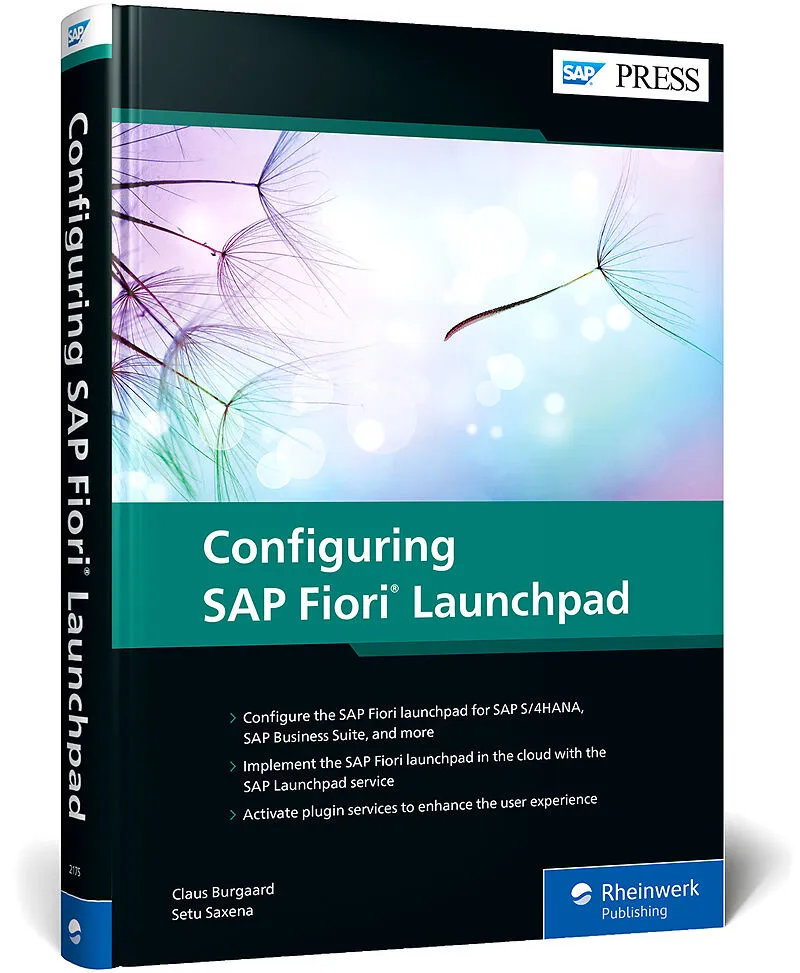
Configuring SAP Fiori Launchpad
Beschreibung
Get the SAP Fiori launchpad up and running! Configure the SAP Fiori launchpad for key on-premise systems: SAP S/4HANA, SAP Business Suite, and SAP Enterprise Portal. Use the SAP Launchpad service in the cloud by setting up SAP Business Technology Platform (SA...
Format auswählen
- Fester EinbandCHF 97.60

Wird oft zusammen gekauft
Andere Kunden kauften auch
Beschreibung
Get the SAP Fiori launchpad up and running! Configure the SAP Fiori launchpad for key on-premise systems: SAP S/4HANA, SAP Business Suite, and SAP Enterprise Portal. Use the SAP Launchpad service in the cloud by setting up SAP Business Technology Platform (SAP BTP) and leveraging tools like SAP Business Application Studio. Follow a real-world landscape example and make the most of SAP Fiori's modern UX!
In this book, you'll learn about:
a. User Experience
Discover the SAP Fiori user experience: design principles, launchpad components, personas, and more. Get a big-picture view of SAP's UX architecture and set the stage with a sample landscape.
b. Configuration
Follow practical instructions to configure the SAP Fiori launchpad for on-premise SAP backends. Then implement the SAP Fiori launchpad in the cloud by configuring the SAP Launchpad service on SAP BTP and connecting to on-premise systems using the cloud connector.
c. Cloud Services
See how to create plugins for the SAP Launchpad service using SAP Business Application Studio. Integrate and use cloud services like SAP Web Analytics and SAP Conversational AI to optimize the SAP Fiori launchpad user experience.
Highlights include:
- User experience architecture
- Integration
- SAP S/4HANA
- SAP Business Suite
- SAP Enterprise Portal
- SAP Business Technology Platform (SAP BTP)
- SAP Launchpad service
- SAP Business Application Studio
- SAP Web Analytics
- SAP Conversational AI
Cloud connector
SAP Mobile Start app
Activate plugin services to enhance the user experience
Autorentext
Setu Saxena is a UX architect at SAP Denmark. He has more than nine years of experience working with SAP, in the areas of UX empowerment, UX strategy, SAP Fiori development, SAP Fiori architecture, and SAP Fiori administration. He is a certified SAP Fiori development and a certified SAP Fiori administrator. Setu has worked as the UX lead on many innovation and implementation projects for global SAP customers. He has been an official SAP Fiori trainer and facilitator for the SAP Development University (SAP's internal training department), and has helped develop certification courses for SAP Fiori.
Inhalt
**... Preface ... 15**
... Target Audience ... 15
... Structure of the Book ... 16
... Acknowledgments ... 19
PART I ... Introduction ... 21
1 ... User Experience with SAP and the Role of SAP Fiori Launchpad ... 23
1.1 ... Introduction to the SAP User Experience ... 23
1.2 ... SAP Fiori ... 34
1.3 ... SAP Fiori Launchpad ... 37
1.4 ... Summary ... 69
2 ... Building Blocks of a Modern User Experience Architecture ... 71
2.1 ... SAP Business Technology Platform ... 71
2.2 ... On-Premise Systems ... 74
2.3 ... SAP Enterprise Portal ... 76
2.4 ... Cloud Systems ... 77
2.5 ... Cloud Connector ... 78
2.6 ... Common Data Model ... 80
2.7 ... SAP Web Analytics ... 82
2.8 ... SAP Conversational AI ... 84
2.9 ... SAP Work Zone ... 85
2.10 ... SAP Business Application Studio ... 86
2.11 ... SAP Launchpad Service ... 90
2.12 ... Overall Landscape ... 92
2.13 ... Summary ... 93
3 ... Real-World Landscape and User Personas ... 95
3.1 ... Reference Landscapes ... 95
3.2 ... User Personas ... 100
3.3 ... Summary ... 105
PART II ... Working with SAP Fiori Launchpad On-Premise ... 107
4 ... Configuring SAP Fiori Launchpad for SAP Business Suite ... 109
4.1 ... Activating the SAP Fiori Infrastructure in SAP Business Suite ... 109
4.2 ... Activating a Single SAP Fiori Application ... 114
4.3 ... Building an SAP Fiori Role ... 123
4.4 ... Activating SAP Fiori Content for a Role ... 141
4.5 ... Upgrading to the Latest Frontend Server (6.0) ... 152
4.6 ... Summary ... 155
5 ... Configuring SAP Fiori Launchpad for SAP S/4HANA ... 157
5.1 ... Activating the SAP Fiori Infrastructure in SAP S/4HANA ... 158
5.2 ... Building an SAP Fiori Role ... 165
5.3 ... Requirements and Prerequisites for Federation ... 186
5.4 ... Working with the Common Data Model ... 188
5.5 ... Exposing SAP Fiori Content from Systems with Frontend Server 2020 ... 189
5.6 ... Upgrading to Frontend Server 2020 ... 193
5.7 ... Landscape Options: Managing Applications in Embedded and Hub Deployments ... 196
5.8 ... Summary ... 197
6 ... Configuring SAP Fiori Launchpad for SAP Enterprise Portal ... 199
6.1 ... Understanding SAP Enterprise Portal Content and Portal Content Object Model ... 200
6.2 ... Designing an SAP Fiori Launchpad Site on SAP Enterprise Portal ... 208
6.3 ... Preparing for Content Federation ... 224
6.4 ... Exposing Content from SAP Enterprise Portal ... 229
6.5 ... Summary ... 233
PART III ... Working with SAP Fiori Launchpad in the Cloud ... 235
7 ... Setting Up SAP Business Technology Platform ... 237
7.1 ... Introduction to SAP BTP ... 238
7.2 ... Creating an SAP BTP Account ... 254
7.3 ... Working with the SAP BTP Cockpit ... 262
7.4 ... Services and Applications ... 269
7.5 ... Activating the SAP Launchpad Service and Setting Up Roles ... 273
7.6 ... Creating Destinations ... 279
7.7 ... Summary ... 281
8 ... Connecting On-Premise Systems to SAP Business Technology Platform ... 283
8.1 ... Introduction to the Cloud Connector ... 284
8.2 ... Installing and Configuring the Cloud Connector ... 286
8.3 ... Connecting Cloud Connector to SAP BTP ... 300
8.4 ... Connecting to On-Premise Systems and Exposing Resources to SAP BTP ... 306
8.5 ... Setting Principal Propagation ... 320
8.6 ... Summary ... 338
9 ... Configuring the SAP Launchpad Service ... 339
9.1 ... Creating an SAP Launchpad Service Site ... 340
9.2 ... Creating Content Providers ... 344
9.3 ... Assigning Content to an SAP Launchpad Service Site ... 354
9.4 ... Integrating SAP S/4HANA Content ... 357
9.5 ... Integrating SAP Business Suite Content ... 362
9.6 ... Integrating SAP SuccessFactors Content ... 369
9.7 ... Integrating Custom SAPUI5 Applications ... 373
9.8 ... Integrating SAP Enterprise Portal Content ... 374
9.9 ... Managing the Site and Transporting Content ... 377
9.10 ... Summary ... 381
10 ... Setting Up SAP Business Application Studio ... 383
10.1 ... Introduction to SAP Business Application Studio ... 384
10.2 ... Enabling SAP Business Application Studio ... 386
10.3 ... Creating a Dev Space ... 399
10.4 ... Components and Capabilities ... 403
10.5 ... Creating Projects for the SAP Launchpad Service ... 408
10.6 ... Deploying HTML5 Modules to SAP BTP ... 415
10.7 ... Configuring the SAP Launchpad Service Site to Enable the Deployed Plug-In ... 421
10.8 ... Summary ... 424
11 ... SAP Web Analytics ... 425
11.1 ... Activating SAP Web Analytics ... 426
11.2 ... Creating a Space and Site ... 431
11.3 ... Registering Your SAP Launchpad Service Site to SAP Web Analytics ... 433
11.4 ... Viewing and Configuring the SAP Web Analytics Dashboard ... 437
11.5 ... Summary ... 440
12 ... SAP Conversational AI ... 443
12.1 ... Activating SAP Conversational AI ... 444
12.2 ... SAP Conversational AI Basics ... 453
12.3 ... Creating Your First Bot ... 459
12.4 ... Training the Bot ... 462
12.5 ... Adding the Bot to the SAP Launchpad Service Site ... 478 …


